Building an Engineering Identity for AI Agents
AI coding assistants accelerate output but introduce technical drift. Features implemented in isolation across sessions, developers, or models slowly make a codebase inconsistent. We tested whether skill files prevent this, and how they compare to system instructions and prompt-level guardrails.

AI coding assistants have accelerated the speed of output, but one observation is that while time spent in development has shortened, there’s still the need to carefully audit the code that is written and steer a codebase away from common pitfalls that are characteristic of AI-enabled workflows. For instance, models can come to different conclusions on the same PR: one can flag a violation of the DRY principle, while another favors readability.
DRY Principle: An engineering best practice that encourages repeated logic to be abstracted into a separate method or function.
Such nuance between model judgments explains the risk of technical drift and Frankenstein code where features are implemented in isolation (e.g. across different sessions, developers, or models). As a result, the codebase slowly becomes inconsistent and less maintainable as different intent is subtly injected each time.
Therefore, guardrails, good judgment, and extra measures remain imperative in leveraging AI coding tools most effectively in the software lifecycle. One powerful solution to control agent behavior is through "Skills." We will walk through creating and integrating a skill in your development environment, and see how it impacts building a feature on an empty and pre-existing codebase. We’ll also analyze how the output varies via different injection points: system instruction, prompt, and skill file.
What Are Skills?
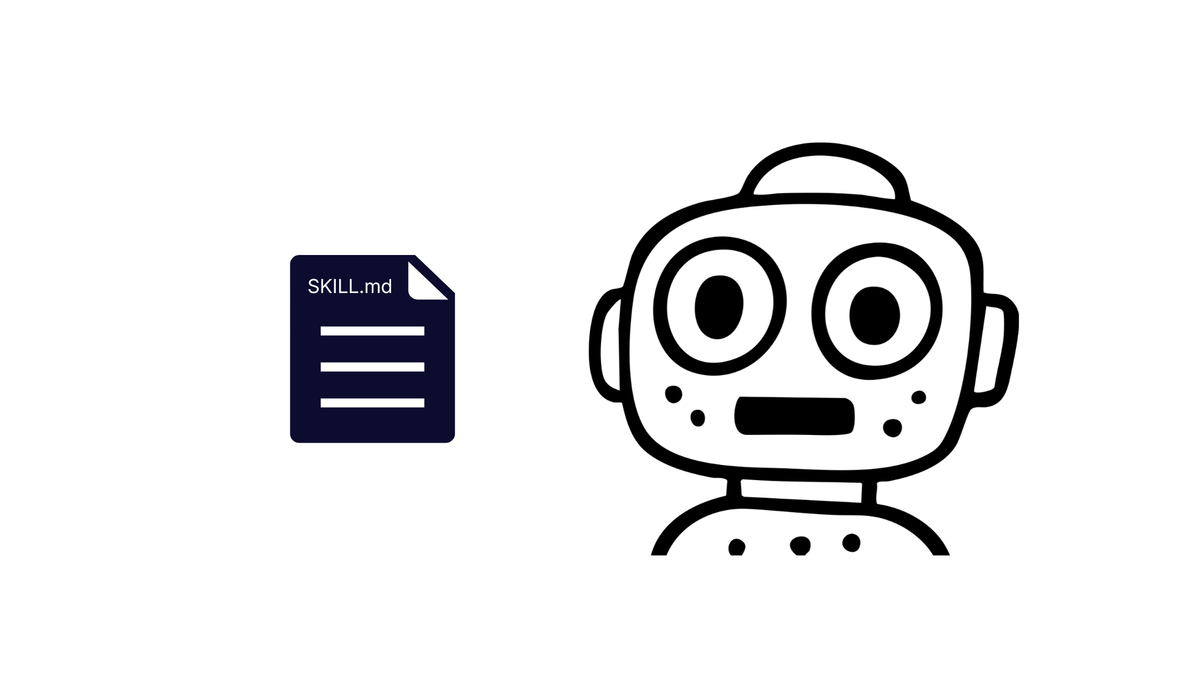
A skill starts with a SKILL.md file, which contains text that informs the model’s behavior or knowledge across prompts and sessions. Examples of skills include expertise in certain libraries or protocols (e.g. a React skill codifies React best practices, coding standards, and performance guidelines). A skill allows an agent to run a predefined script, kept in a scripts/ folder, or read documentation in references/.
The SKILL.md file at a bare minimum contains a name and description (see example below) to be detected by the model on startup.
my-skill/
├── SKILL.md          # Required: instructions + metadata
├── scripts/          # Optional: executable code
├── references/       # Optional: documentation
└── assets/           # Optional: templates, resources
Skills can be sourced from a GitHub repo, extensions, or manually created and are not model specific. In fact, .agent/skills is the agnostic naming convention being adopted in place of the model-specific one (i.e. .gemini/skills). For Gemini CLI, if both directories exist, .agent/skills takes precedence.
A skill file serves as a piece of documentation itself as new developers join, outlining engineering priorities/direction. Another benefit of the skills framework is that it compartmentalizes different abilities and packages them into organized parts. Its ability to toggle on/off specific skills provides more granular control that would otherwise require additional prompting.
Adding a Skill to Your Project
Models like Gemini often already have an existing skill that helps you build your own skills. For Gemini, its skill-creator skill can be invoked by simply prompting the model to create one (doc). For this walkthrough, we will use a pre-made example skill that details a team’s preferred tech stack and conventions. For the following tests, Auto (Gemini 3) was selected as the model.
Skill File Main Directives:
- Native Libraries: Prohibits libraries like
axiosormomentin favor of native Web APIs (fetch,Intl) - Analytics Abstraction: An internal
analytics.trackabstraction - The "Result" Pattern: Tuple-based error handling with
[data, error]instead oftry/catchblocks - Styling: Enforces Tailwind CSS; prohibit inline styles
- Tech Stack: Use Next.js (App Router) and Strict TypeScript
Reference: team-skill file
- Install Gemini CLI
npm install -g @google/gemini-cli
- Create a sandbox project directory
mkdir skills-demo && cd skills-demo
- Authenticate with Google to use Gemini CLI via one of the methods listed here: https://geminicli.com/docs/get-started/authentication/
- Run this command to import the example skill above from Github
gemini skills install https://github.com/szns/skills-tutorial.git --path skills/team-skill --scope workspace
- Verify that it is now detectable by your agent in your project.
gemini skills list
Your output should look like this:

Scenario A: From the ground up
Let’s test building a feature without pre-existing code with and without the team skill.
- Ensure that the Team Engineering Standards skill is enabled.
- Provide this prompt in the CLI to implement a React component:
1. Ask for 'Company Name' (text).
2. Ask for 'Team Size' (dropdown: 1-10, 11-50, 50+).
3. A 'Complete' button. When the user clicks Complete, save the data to /api/onboarding and send an analytics event called 'onboarding_completed'.
- To test the output with no skill, disable the skill by running
/skills disable <name-of-skill>in Gemini CLI. - Remove the code generated from the previous step. Once you disable the skill, its status should reflect that in the list.

- Rerun the prompt from step 2.
Results
| Category | Skill | No Skill | Standards Addressed by Skill? |
|---|---|---|---|
| Error Handling | const [data, err] = await safeFetch(...) |
try/catch with throw new Error(...) |
Y — skill avoided try/catch |
| Analytics Module | analytics.track() |
track() — bare function import |
Y — skill created analytics object |
| Styling | Tailwind CSS utility classes (className="...") |
style={{ ... }} |
Y — skill used Tailwind and avoided inline |
| Frameworks/Libraries | 'use client' directive on lineLucide-React (from tech stack context in skill) |
Missing Next.js and Lucide-React | Y — skill is aware of Next.js and icon choice |
| Organization | 3 files: OnboardingSurvey.tsx, analytics.ts, safe-fetch.ts |
2 files: OnboardingSurvey.tsx, analytics.ts |
Skill added extra utility file; not an original requirement but standardizes approach |
Links to full code: skill, no skill
Code Example: Styling
Skill
<div className="max-w-md mx-auto p-8 bg-white rounded-xl shadow-lg border border-slate-100">
No Skill
<div style={{ padding: '20px', maxWidth: '400px', margin: 'auto',
              border: '1px solid #ccc', borderRadius: '8px',
              boxShadow: '0 2px 4px rgba(0,0,0,0.1)' }}>
The skill’s impact on the code output is evident: correct error pattern, analytics object, Tailwind, and Next.js awareness without any additional prompting. The skill even added an extra utility file, safe-fetch.ts, which shows that it internalized the intent of the skill. Without it, the model defaulted to common patterns (try/catch, inline styles, bare function imports). The difference in behavior showcases a baseline of the skill’s impact on agent behavior without an existing codebase. We’ll see how the output changes when building another feature on top of existing code.
Scenario B: From an existing codebase
- Start with the code generated from building the feature without the skill. You can use your code generated from the last scenario or the starter code here: https://github.com/SZNS/skills-tutorial/tree/main/tutorial-output/scenario-a%20(ground%20up)/without-skill?ref=engineering.szns.solutions
- Check that the team skill is enabled with
gemini skills list.
4. Ask for 'Expected Launch Date' (date input).
On the final step, display a summary of all the entered data before the Complete button. If the /api/onboarding call fails, show an inline error message to the user.
- To test the output with no skill, disable the skill by running
/skills disable <name-of-skill>. - Remove the code generated from the previous step.
- Rerun the prompt from step 3.
Results
| Category | Skill | No Skill | Standards Addressed by Skill? |
|---|---|---|---|
| Error Handling | const [data, err] = await performOnboarding()Result pattern (try/catch hidden inside wrapper) |
try/catch with throw new Error(...) |
Attempt exists with tuple pattern, but try/catch not fully abstracted away |
| Analytics Module | track() — bare function import |
track() — bare function import |
Both used the same bare track(). Skill did not refactor to analytics.track() object pattern |
| Styling | Tailwind CSS utility classes (className="...") |
style={{ ... }} |
Y — skill used Tailwind and avoided inline |
| Organization | 1 file modified (OnboardingSurvey.tsx), analytics unchanged |
1 file modified (OnboardingSurvey.tsx), analytics unchanged |
Neither created new utility files |
| Frameworks/Libraries | No 'use client', no Lucide-React |
No 'use client', no Lucide-React |
Neither picked up the Next.js or icon conventions here |
| Outside Outlined Standards | Back buttons on steps 2, 3, and 4 via handleBack()Semantic <dl> definition list |
Forward-only, no Back buttons Plain <p> tags |
Not in skill file but skill output exercised better UX judgment Not in skill file |
Links to full code: skill, no skill
Code Example: Error Handling
Skill
const performOnboarding = async (): Promise<[any, Error | null]> => {
  try {
    const response = await fetch('/api/onboarding', {
      method: 'POST',
      headers: { 'Content-Type': 'application/json' },
      body: JSON.stringify({ companyName, teamSize, launchDate }),
    });
    if (!response.ok) {
      return [null, new Error('Failed to save onboarding data.')];
    }
    const data = await response.json();
    return [data, null];
  } catch (err: any) {
    return [null, err];
  }
};

const [data, err] = await performOnboarding();

if (err) {
  setError(err.message || 'An unexpected error occurred.');
  setIsLoading(false);
  return;
}
No Skill
try {
  const response = await fetch('/api/onboarding', {
    method: 'POST',
    headers: { 'Content-Type': 'application/json' },
    body: JSON.stringify({ companyName, teamSize, expectedLaunchDate }),
  });

  if (!response.ok) {
    throw new Error('Failed to save onboarding data.');
  }

  track('onboarding_completed', { companyName, teamSize, expectedLaunchDate });
  alert('Onboarding survey completed successfully!');
} catch (err: any) {
  console.error('Onboarding error:', err);
  setError(err.message || 'An unexpected error occurred.');
} finally {
  setIsLoading(false);
}
The skill file failed to fully correct the existing codebase to follow the standards, such as using Next.js or the Lucide-React library. With a pre-existing codebase, it favored being consistent with the current code when implementing the new feature instead of correcting it. For example, the analytics module implementation in both versions used the existing track() pattern. However, it did successfully enforce the styling guidelines and pushed the model toward more thoughtful choices outside the skill file's scope, like semantic <dl> definition list tags for the summary and Back buttons between steps.
Comparing Output from Different Injection Points
The skill file impacts the model’s output, and less so if the existing codebase deviates from the standard. Let’s see how the feature gets implemented when the team standards exist in two other forms: system instruction and appended to the prompt.
Approach 1 — SKILL.md file (previously completed)
(covered above in Scenario B: From an existing codebase)
Approach 2 — System instructions
- Inject same guidelines in a
GEMINI.mdfile at project level- Skills file adapted to GEMINI file here: https://github.com/SZNS/skills-tutorial/blob/main/GEMINI.md
- The only change was removing the YAML frontmatter, metadata at the top of the skill file
- Skills file adapted to GEMINI file here: https://github.com/SZNS/skills-tutorial/blob/main/GEMINI.md
Approach 3 — Appended to the prompt
“Here are the engineering standards you must follow for all code in this session: [skill file body] [feature prompt]”
Results
| Category | Skill File | System Instruction | Appended to Prompt |
|---|---|---|---|
| Feature Completion | Y — Full implementation | Missing Expected Launch Date + summary step | Y — Full implementation |
| Analytics Module | Kept bare track() |
Y — Matched standard; rewrote module to analytics.track() object |
Used import * so call site looks like analytics.track() |
| Error Tracking | Success event only | Success event only | Y — Success + failure events; went beyond what was asked |
'use client' |
Missing | Y — Included | Missing |
| Result Pattern | Inline function wrapping try/catch | Y — Created safeFetch utility in separate lib/http.ts; try/catch fully extracted from component |
Y — Inline safeFetch using promise chain, no try/catch at all |
| Styling | Y — Tailwind | Y — Tailwind | Y — Tailwind |
Links to full code: prompt, system instructions, skill
Code Example: Result Pattern
System instruction — dedicated utility file (lib/http.ts):
// lib/http.ts
export async function safeFetch<T>(
  url: string,
  options?: RequestInit
): Promise<[T | null, Error | null]> {
  try {
    const response = await fetch(url, {
      ...options,
      headers: { 'Content-Type': 'application/json', ...options?.headers },
    });
    if (!response.ok) {
      return [null, new Error(`HTTP Error: ${response.status} ${response.statusText}`)];
    }
    const data = await response.json();
    return [data, null];
  } catch (err) {
    return [null, err instanceof Error ? err : new Error('An unknown network error occurred')];
  }
}

// OnboardingSurvey.tsx
import { safeFetch } from '../lib/http';
const [_, err] = await safeFetch('/api/onboarding', {
  method: 'POST',
  body: JSON.stringify(payload),
});
Appended to prompt — inline, promise-chain style:
// OnboardingSurvey.tsx
const safeFetch = async (url: string, options?: RequestInit): Promise<[Response | null, Error | null]> => {
  return fetch(url, options)
    .then(res => {
      if (!res.ok) {
        return [null, new Error('Failed to save onboarding data.')] as [null, Error];
      }
      return [res, null] as [Response, null];
    })
    .catch(err => [null, err instanceof Error ? err : new Error(String(err))] as [null, Error]);
};

// in handleComplete
const [res, err] = await safeFetch('/api/onboarding', { ... });
Skill file — inline, try/catch hidden inside:
// OnboardingSurvey.tsx (inside handleComplete)
const performOnboarding = async (): Promise<[any, Error | null]> => {
  try {
    const response = await fetch('/api/onboarding', {
      method: 'POST',
      headers: { 'Content-Type': 'application/json' },
      body: JSON.stringify({ companyName, teamSize, launchDate }),
    });
    if (!response.ok) {
      return [null, new Error('Failed to save onboarding data.')];
    }
    const data = await response.json();
    return [data, null];
  } catch (err: any) {
    return [null, err];
  }
};

const [data, err] = await performOnboarding();
The system instruction performed the best in terms of refactoring the existing code to follow the standard. The skill file was the least disruptive to the existing pattern and consistency with the current codebase was favored. Appending it to the prompt as an ad-hoc approach made the model equally prioritize adhering to the standard and building the feature.
Results
We saw the tangible difference that a skill file makes with Scenario A; when building from the ground up, the standards were adhered to. However, in Scenario B, it lost that level of influence in the presence of an existing codebase that deviated from those standards.
Other methods were investigated for injecting this standard on an existing codebase: appending to a prompt and writing to system instruction. Overall, both had better outcomes in enforcing the standard and correcting existing code than the skill file. Specifically, the prompt was better at completing the feature but system instruction was better at aligning the codebase with the team standard.
Here are the methods ranked in each category: (1 = best)
| Injection Point | Feature Completion | Adherence to Standards |
|---|---|---|
| Skill File | 2 | 3 |
| Appended to Prompt | 1 | 2 |
| System Instructions | 3 | 1 |
Conclusion
Skill files enable developers to programmatically control agent behavior. We tested how it performs when standardizing coding practices with a team skill and discovered that it failed to enforce the standard in a use case where there is an existing codebase that deviated from it.
This reveals that each injection point is interpreted differently by the agent, and as a result, how you inform your model depends on how stringent you want the requirement to be. In the appended prompt, adding standards competes with asking for the feature, and the agent completed neither task fully. As a skill file, it serves as context outside of the prompt as looser instruction or guidelines, and wasn’t enforced by the agent. The system instruction was followed most strictly and took priority over the competing context of existing code. In the background, different intent gets injected with each method regardless of the content itself. To get the most out of integrating AI coding agents into workflows, one must choose their methodology and tools purposefully.
Here at SZNS Solutions, we intentionally choose our tools and approaches when building products, like understanding the nuances of a skill file, to deliver our clients reliable, production-ready solutions.
For more information on how SZNS Solutions can help you and your business, reach out to us here: https://szns.solutions/contact